
When a WordPress site gets hacked, one of the most important questions is surprisingly simple: “What changed when the attack happened?”
A compromised WordPress website can leave you with thousands of files, unfamiliar code, suspicious redirects, injected scripts, and very little indication of where the problem actually started.
Traditional malware scanners can be useful, but post-hack investigations often require a different approach. Instead of asking only whether a file looks malicious, sometimes the better question is: when was this file changed?
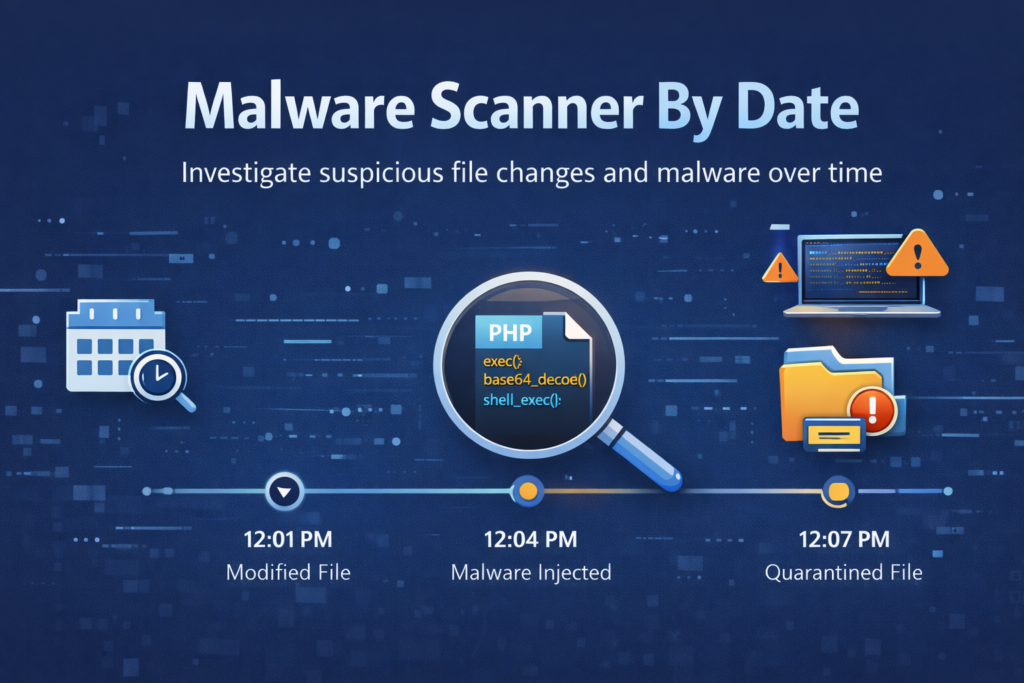
That idea led to the creation of Malware Scanner by Date — a WordPress investigation tool designed to help administrators narrow down suspicious file changes by scanning modification dates and identifying files that were added or altered during a known compromise window.
The Problem With Investigating a Hacked WordPress Site
Imagine discovering that a WordPress website has suddenly started redirecting visitors to spam pages.
You know something is wrong. You may even have an approximate idea of when the compromise occurred. But the site could contain thousands of PHP, JavaScript, HTML, image, plugin, and theme files.
Manually inspecting everything is slow and frustrating.
The investigation becomes much more manageable if you can narrow the search to the files that changed during the suspicious period.
Instead of asking “Which of these thousands of files might be infected?”, start with “Which files changed when the attack happened?”
That is the core idea behind Malware Scanner by Date.
What Is Malware Scanner by Date?
Malware Scanner by Date is a post-hack investigation tool built specifically for WordPress.
It is not intended to replace a complete security suite or become another always-running security plugin. Its purpose is much more focused: help you investigate a compromised website and quickly narrow down the files that deserve attention.
You select a specific date or date range, choose the part of the website you want to investigate, and run a scan. The tool then analyzes files within that timeframe and helps surface suspicious changes.
- Scan files by a specific date or date range.
- Investigate plugins, themes, uploads, wp-content, or the entire site.
- Filter file types for faster investigation.
- Detect common suspicious malware patterns.
- Track scan progress while the investigation runs.
- Quarantine suspicious files before taking destructive action.
- Keep scan history for later investigation.
- Protect important WordPress core files from accidental modification.
Why Date-Based Investigation Matters
Most malware scanners begin with signatures, known malicious code, or suspicious patterns. Those approaches are valuable, but they can also produce a large number of results that require manual validation.
Date-based investigation adds another dimension: time.
If you know that a website was clean on Monday and started behaving strangely on Wednesday, the files changed during that window become much more interesting.
This doesn’t automatically mean every changed file is malicious. WordPress updates, plugin installations, deployments, backups, cache operations, and legitimate administrator activity can also modify files.
Instead, the date becomes a powerful filter that helps reduce the investigation area and gives you a much clearer starting point.
Built From a Real-World Malware Cleanup
Malware Scanner by Date came from a practical problem rather than a theoretical security exercise.
During a real-world malware cleanup involving thousands of injected files, manually searching through a large WordPress installation quickly became impractical.
The investigation needed a way to answer a very specific question:
“Show me the files that changed around the time the compromise occurred.”
That simple requirement became the foundation for the tool.
The result is a focused workflow for post-incident analysis: identify the suspicious timeframe, scan the relevant directories, review the files that changed, and then decide what should be quarantined, removed, or investigated further.
A Safer Approach to Suspicious Files
Finding suspicious files is only part of the problem. Security investigations also need to avoid making the situation worse.
Malware Scanner by Date therefore includes safeguards intended to reduce accidental damage during cleanup.
- WordPress core files are protected.
- System directories receive additional restrictions.
- Suspicious files can be quarantined instead of immediately deleted.
- The quarantine directory is blocked from normal execution.
- File operations are controlled and limited.
These protections are especially important during a stressful post-hack investigation, where deleting the wrong file can turn a security incident into an availability problem.
How the Investigation Workflow Works
The workflow is deliberately straightforward.
First, open Malware Scanner by Date from the WordPress administration area. Select the date or date range that corresponds to the suspected compromise.
Next, select the area of the website you want to investigate. You can target specific directories such as wp-content, plugins, themes, or uploads, or perform a broader site scan.
After starting the scan, the tool processes the files and provides live progress information. Suspicious files can then be reviewed before deciding whether they should be quarantined or removed.
The goal isn’t to automate every security decision. It is to make the investigation faster and give the administrator better information for making those decisions.
Installation
The recommended installation method is cloning the repository directly into the WordPress plugins directory.
cd wp-content/plugins/

git clone https://github.com/Byadiso/malware-scanner-by-date.git
After cloning the repository, open the WordPress administration dashboard and activate the plugin from the Plugins section.
Alternatively, you can download the latest release as a ZIP file, then go to WordPress Admin → Plugins → Add New → Upload Plugin and activate it after installation.
Requirements
- WordPress 5.6 – 6.5+
- PHP 7.4+
- Apache, LiteSpeed, or Nginx
Who Is This Tool For?
Malware Scanner by Date is particularly useful when you are dealing with a real WordPress incident and need to investigate changes quickly.
- WordPress developers cleaning compromised websites.
- Freelancers handling emergency client incidents.
- Agencies performing post-incident investigations.
- Administrators investigating unexpected file changes.
- Security researchers performing manual malware analysis.
From a Scanner to an Investigation Workflow
The bigger idea behind this project is that malware cleanup shouldn’t always begin with thousands of alerts.
Sometimes the most useful piece of evidence is much simpler: the timeline.
When you combine modification dates with directory targeting, file-type filtering, malware-pattern detection, scan history, and safe quarantine, the investigation becomes much more structured.
You can move from a vague suspicion — “the site has been hacked” — toward a much more concrete investigation: “these files changed during the suspected compromise window, and these particular files contain patterns that require review.”
The goal isn’t to blindly delete everything suspicious. The goal is to make the evidence easier to find.
Open Source and Contributions
Malware Scanner by Date is released as an open-source WordPress project under the GPL v2 or later license.
Feedback, bug reports, improvements, and contributions are welcome. If you have dealt with a compromised WordPress installation and have ideas for improving the investigation workflow, the project can benefit from that experience.
You can explore the source code, report issues, contribute, or download the latest version from the GitHub repository .
Get the Plugin
If you’re currently investigating a hacked WordPress site, or simply want a focused tool available for the next incident, you can get Malware Scanner by Date directly from GitHub.
Get Malware Scanner by Date
Investigate WordPress file changes by date, identify suspicious files, and safely isolate potential malware.
Download Plugin on GitHub